How to use virtual cards for safer online shopping
Online shopping is no longer a convenience; it’s a necessity. From groceries and clothing to software subscriptions and travel bookings, we use our credit and debit cards online every single day.
But with this convenience comes a massive, persistent risk: data breaches.
It seems like every few months, we hear about another major retailer or service provider being hacked, exposing the credit card details of millions of customers. If your card number is stolen, it’s a huge headache. You have to call the bank, cancel the card, wait 7-10 business days for a new one, and—worst of all—manually update your payment information for every single service you subscribe to, from Netflix to your car insurance.
What if there was a way to shop online without ever exposing your real card number?
There is. It’s called a virtual card, and it’s one of the most powerful, yet underutilized, tools for protecting your financial information. This guide will explain exactly what they are, how they work, where to get them, and why they are the key to true peace of mind for online shopping.
What Exactly Is a Virtual Card?

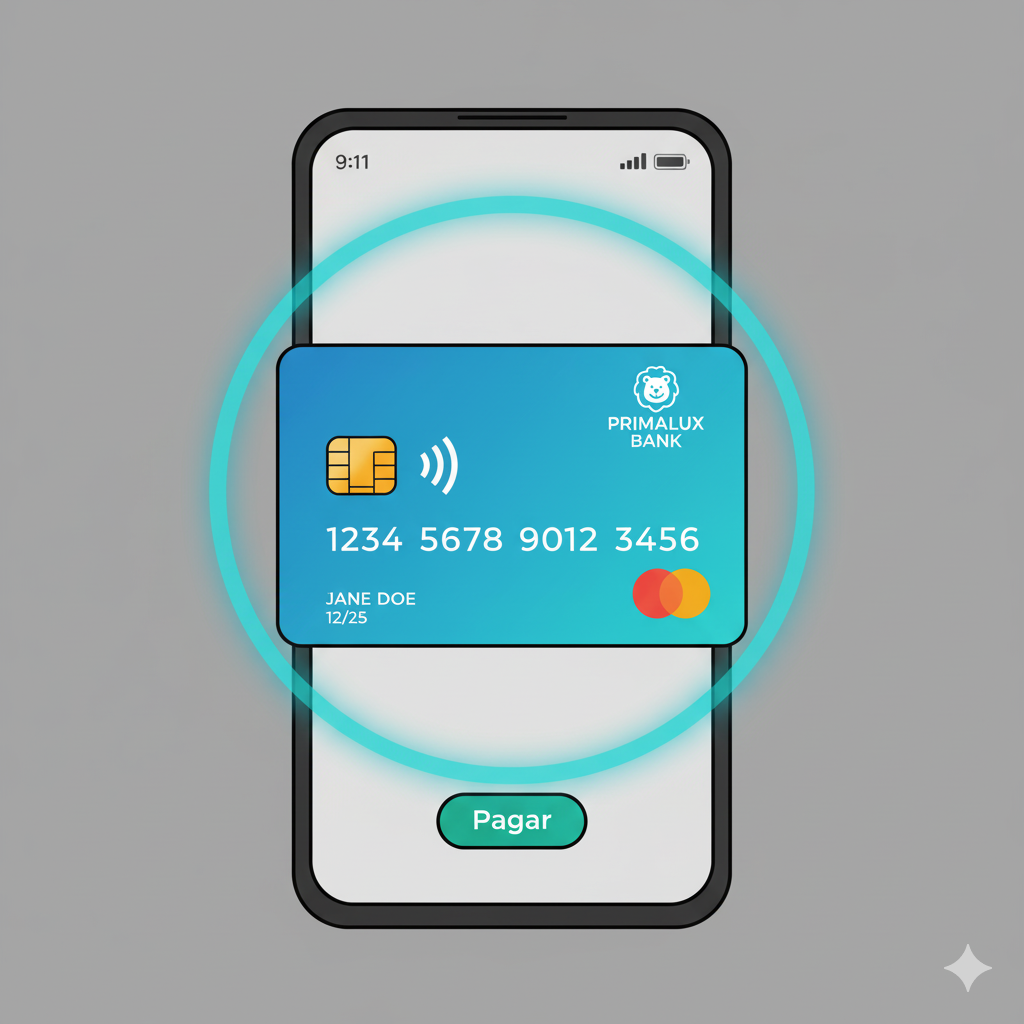
A virtual card (also known as a virtual credit card, disposable card number, or temporary card) is a randomly generated, 16-digit card number, complete with its own expiration date and 3-digit CVV code.
The most important thing to know is this: a virtual card is not a new credit account. Instead, it’s a unique mask or firewall that sits on top of your existing credit card or bank account.
Think of it like a digital “burner” phone. You use it for a specific purpose, and if it ever gets compromised, you can simply “throw it away” (delete it) in seconds without any impact on your real, primary account.
When you make a purchase online with a virtual number, the charge is passed through to your real credit card just like any other transaction. You still get your reward points, and it appears on your statement as normal. The merchant, however, only sees the virtual number. They never have access to your “real” financial data.
The Core Security: How Virtual Cards Protect You from Hackers
The magic of a virtual card isn’t just that it’s a different number; it’s about the control it gives you. If your physical card number is stolen, you are a victim. If a virtual card number is stolen, you are merely inconvenienced for about 30 seconds while you delete it and generate a new one.
Here’s how they provide layers of protection.
1. They Make Data Breaches Irrelevant
Let’s say you use a virtual card to buy shoes from “OnlineShoes.com.” Six months later, that website gets hacked, and all its customer payment data is stolen.
- Without a virtual card: The hackers have your real card number. They can immediately start using it to make fraudulent purchases on other sites. You are now in a race to cancel your card before they do real damage.
- With a virtual card: The hackers only get the virtual number you used. You can simply log in to your bank’s app, delete that specific card, and you’re done. Your real account is completely safe, and you don’t have to change any of your other subscription payments.
2. You Can “Lock” Cards to a Single Merchant
Many virtual card services allow you to “lock” a card to the first merchant that uses it.
Let’s say you generate a card for your monthly Netflix subscription. That card is now locked only to Netflix. If a scammer somehow steals that number and tries to use it to buy a plane ticket, the transaction will be automatically declined. The card is useless anywhere else.
3. You Can Set Custom Spending Limits
This is a powerful security and budgeting tool. When you generate a virtual card, you can often set a spending limit on it.
- For a specific purchase: Buying a $150 item from a new website? Set the card’s limit to $150. Even if a hacker gets the number, they can’t charge a dollar more.
- For a monthly subscription: If your music streaming service costs $10.99 a month, you can set the card’s monthly limit to $11. This prevents a common scam where a merchant sneakily increases the subscription price without your knowledge.
One-Time Use vs. Recurring: Understanding the Two Types of Virtual Cards
This is a critical distinction to understand. Virtual cards generally come in two flavors, and you’ll use them for different situations.
1. Single-Use / Disposable Cards
As the name implies, these cards are designed for one single transaction. The moment the charge is approved, the card number “self-destructs” and can never be used again.
- Best For:
- Websites you don’t trust: Making a one-off purchase from a random site you found on Instagram? This is the perfect tool.
- Free Trials: This is a famous “life hack.” We’ll cover it more in a bit.
- Maximum Security: If you are extremely security-conscious and want a new number for every single purchase you make.
2. Recurring-Use / “Merchant-Locked” Cards
These are permanent virtual cards that you can use over and over, but you should dedicate one card per merchant.
You would create:
- One virtual card for Netflix.
- One virtual card for Amazon.
- One virtual card for your gas company.
- One virtual card for your gym membership.
This “one card per service” strategy is the key to total financial organization and control. If your Amazon account is ever compromised, the hacker gets a card number that only works at Amazon. They can’t use it anywhere else. More importantly, if you need to cancel your gym membership and they’re giving you the run-around, you can bypass their customer service entirely by just deleting the virtual card you use to pay them. The charge will simply fail next month.
How to Get a Virtual Card: A Step-by-Step Guide

Getting a virtual card used to be a niche, tech-savvy trick. Today, it’s a standard feature for many major banks and credit card companies. Here’s how to get one.
Step 1: Check Your Credit Card Issuer or Bank
The easiest way is to use the bank you already have. Log in to your credit card’s online account or open your mobile app.
Step 2: Find the “Virtual Card” Feature
This is often the hardest part, as every bank buries it in a different spot. Look in sections called:
- “Account Services”
- “Security”
- “Card Management”
- “Digital Cards”
- Or just search for “Virtual Card Number” in the help bar.
Step 3: Generate Your Card
The system will ask you what kind of card you want to create. This is where you’ll choose:
- If it’s a recurring or single-use card.
- What you want to name it (e.g., “Amazon” or “Spotify”).
- If you want to set a spending limit (per charge, per month, or total).
Step 4: Use the Card
The service will instantly display the 16-digit number, expiration date, and CVV. You simply copy and paste these details into the online checkout form, just like a normal card.
Step 5: Manage Your Cards
Your bank will have a dashboard where you can see all the virtual cards you’ve created. From here, you can “Lock,” “Freeze,” or “Delete” any card at any time.
Where to Find Virtual Card Services in the U.S.
If you’re wondering where to get this feature, here are the most common providers.
1. Major Credit Card Issuers
Many of the largest banks in America offer this service for free to their cardholders.
- Capital One (Eno): Capital One has one of the best systems, called Eno. Eno is a browser extension that will proactively pop up at checkout and ask if you want to create a virtual card. It makes the process seamless.
- Citi: Citi has long offered a feature called “Virtual Account Numbers.” It’s a bit older, but it’s very reliable and lets you generate numbers from your online account dashboard.
- Chase & American Express: These issuers offer similar features, though they are sometimes more focused on “tokenization” through their digital wallets. Check your specific card’s benefits to see what’s offered.
2. Third-Party Fintech Services
If your bank doesn’t offer virtual cards, you can use a dedicated third-party service.
- Privacy.com: This is one of the most popular services. Privacy.com connects directly to your bank account (not a credit card) and allows you to create merchant-locked or single-use cards for everything. It’s a powerful way to add a layer of security to your debit card.
- Revolut: This is a digital banking app that is famous for its “disposable” virtual cards, which you can generate and destroy on command.
3. Digital Wallets
This is a form of virtual card you’re probably already using.
- Apple Pay, Google Pay, Samsung Pay: When you add your credit card to a digital wallet, it doesn’t store your real card number. It creates a secure “token” or “Device Account Number” that is specific to that device. When you use the “Pay with Apple Pay” button on a website, the merchant only gets this secure token. This is just as secure as a virtual card.
Virtual Cards vs. Digital Wallets (Apple Pay, Google Pay): What’s the Difference?
This is a common point of confusion, so let’s clear it up.
- Digital Wallets (Apple/Google Pay) are fantastic. When you see their button on a checkout page, you should always use it. They use secure “tokenization” to protect your real card number.
- Issuer Virtual Cards (from Capital One, Citi, etc.) are for every other website.
The key difference is that a digital wallet is a payment system. A virtual card gives you a manually-typed number.
You can’t use Apple Pay on a website that only has a traditional “Enter Card Number” form. But you can use a virtual card number on that form. They work together to give you 100% online shopping coverage.
The Golden Rule:
- If a site offers Apple Pay or Google Pay, use that.
- If a site only has a regular credit card form, use a virtual card.
- Avoid typing your physical card number online whenever possible.
The Hidden Benefits: Why Virtual Cards Are Great for More Than Just Security

Beyond the powerful security, virtual cards are an amazing tool for financial management and budgeting.
Benefit 1: The Ultimate Free Trial Hack
We’ve all been there. You sign up for a “7-day free trial” that requires a credit card, you forget to cancel, and 8 days later, you’re hit with a $99 annual charge.
With a virtual card, this is impossible.
- Method 1: Use a single-use card. The trial is activated, but when the company tries to charge you, the card no-longer-exists and the transaction is declined.
- Method 2: Use a recurring card and set the spending limit to $1. The $1 “authorization hold” will go through, but the $99 charge will be declined.
- Method 3: Use a recurring card and “pause” or “freeze” it immediately after you sign up.
Benefit 2: Stop “Zombie” Subscriptions
This is for the gym, the subscription box, or the service that is notoriously difficult to cancel. Instead of spending 45 minutes on hold with a “retention specialist,” just log in to your bank app and delete the virtual card. The charge will fail. The service will be canceled. You win.
Benefit 3: Effortless Budgeting and Expense Tracking
This is a game-changer for anyone trying to stick to a budget.
- Problem: You want to spend only $150 a month on “takeout.”
- Solution: Create a virtual card named “Food Delivery” and set its monthly limit to $150. Add this card to Uber Eats, DoorDash, etc. When you hit your $150 limit, the card will simply stop working. It’s an automated, foolproof budgeting system.
You can do this for all your discretionary spending: “Video Games,” “Subscription Services,” “Online Shopping,” etc.
Are There Any Downsides? What to Watch Out For
Virtual cards are an incredible tool, but they aren’t perfect. You need to be aware of a few potential hiccups.
- Problem 1: Returns and Refunds. This is the most common concern. What happens if you buy an item with a single-use card, delete the card, and then need to return the item?
- The Answer: In almost all cases, the refund will still be processed correctly. Your bank can see that the virtual card was linked to your main account, and they will route the refund to your real account balance. However, it can sometimes cause a delay or require a call to customer service.
- Best Practice: For large, expensive purchases you might return (like a TV, mattress, or computer), it’s safer to use a recurring virtual card (that you don’t delete) or your physical card.
- Problem 2: In-Person Pickups & Reservations. Sometimes you need to “show the card you paid with” for an in-store pickup, a hotel check-in, or a rental car. You won’t have a physical card to show.
- Solution: You can almost always resolve this by showing the virtual card details on your banking app, along with your ID. But it’s a potential moment of friction.
- Problem 3: A Slight Inconvenience. It takes about 30 seconds to generate a new card, name it, and copy/paste the details. This is slightly slower than the 5 seconds it takes your browser to auto-fill your saved card. It’s a tiny price to pay for a massive security upgrade.
Should You Be Using Virtual Cards?
Yes. Absolutely. 100%.
The internet is not a safe place for your financial data. Data breaches are a constant, and the risk of your physical card number being stolen and used fraudulently is always growing.
Virtual cards are a free, simple, and powerful solution that puts control back in your hands. They transform data theft from a major financial crisis into a minor, 30-second inconvenience.
The peace of mind you get from knowing your real account is never exposed is invaluable.
Your next step: Log in to your credit card or bank’s website right now. Search for “virtual card” or “virtual number.” You likely have this feature waiting for you. Take five minutes to learn how to use it, and make your next online purchase the most secure one you’ve ever made.